

Cost Analytics
ZenMux provides powerful cost analysis capabilities to help you monitor and analyze API usage expenses in real-time. Through the cost analysis page, you can view detailed spending across different dimensions, including costs categorized by model, API Key, service provider, and more, enabling you to better optimize your application usage strategy and control expenses.
Note: The data displayed on this page does not include usage from subscription plans; it only tracks Pay As You Go usage.
Cost Overview
At the top of the page, you'll find a set of key cost metric cards that provide a quick overview of overall spending for the current time period.
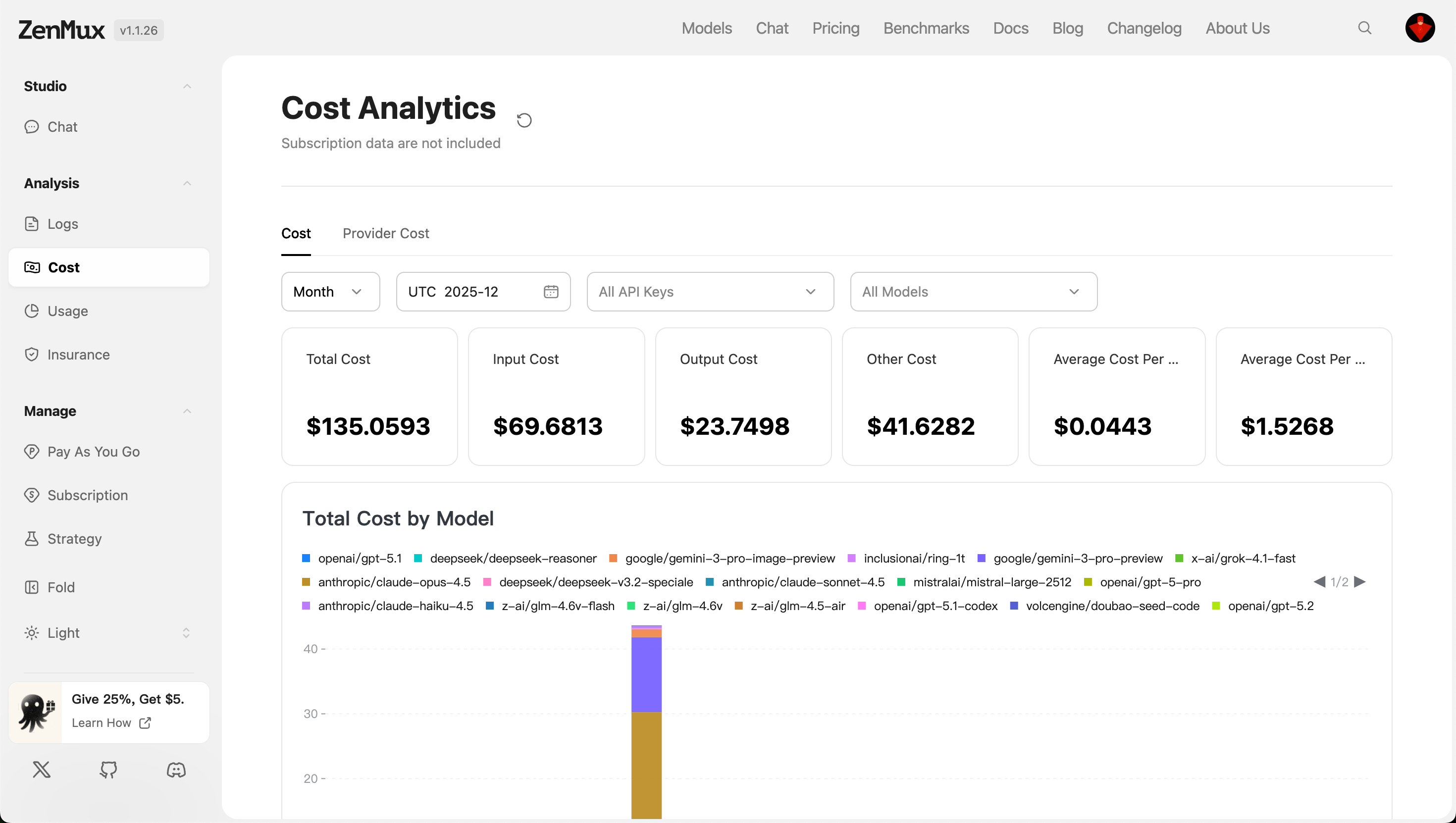
Filter Options:
- Time Granularity: View data by "Month", "Day", "Hour", and other dimensions.
- Time Range: Defaults to the most recent period in UTC time; you can manually select specific dates or ranges.
- API Keys: Filter costs generated by specific API keys.
- Model Selection: Analyze all models or specify a particular model (e.g.,
google/gemini-3-pro-preview).
Metric Descriptions
| Metric | Description |
|---|---|
| Total Cost | Total spending amount, covering all input, output, and other related costs. |
| Input Cost | Costs generated by input tokens. |
| Output Cost | Costs generated by output tokens. |
| Other Cost | Additional non-token-related costs (e.g., latency compensation, system resource consumption, etc.). |
| Average Cost Per Request | Average cost per request |
| Average Cost Per Million Tokens | Average cost per million tokens |
Multi-Dimensional Analysis
Total Cost by Model
This section displays consumption distribution across models in chart form, helping identify which models are the primary cost drivers.
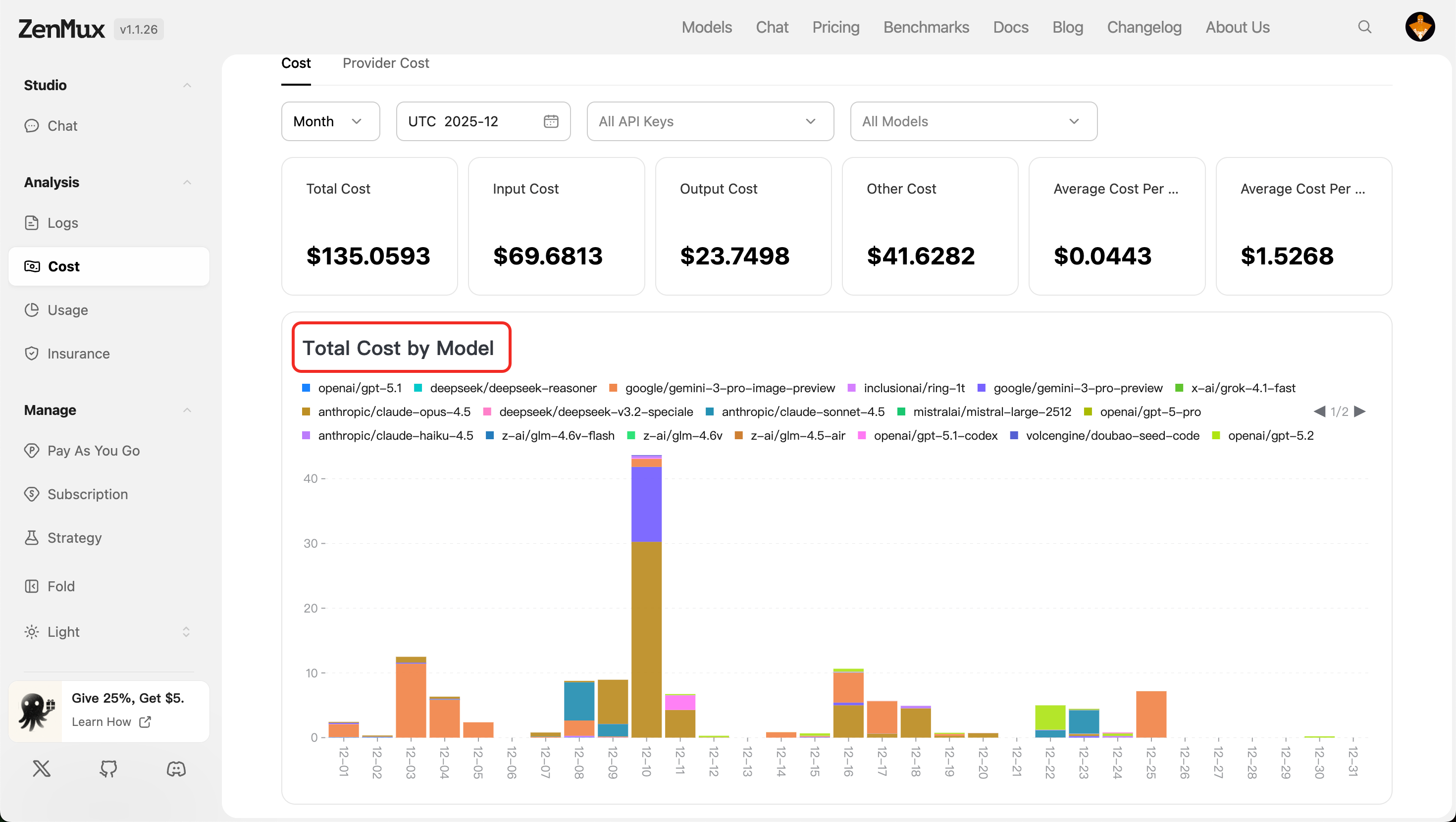
Tip: Review this section regularly to adjust usage frequency for high-cost, low-efficiency models.
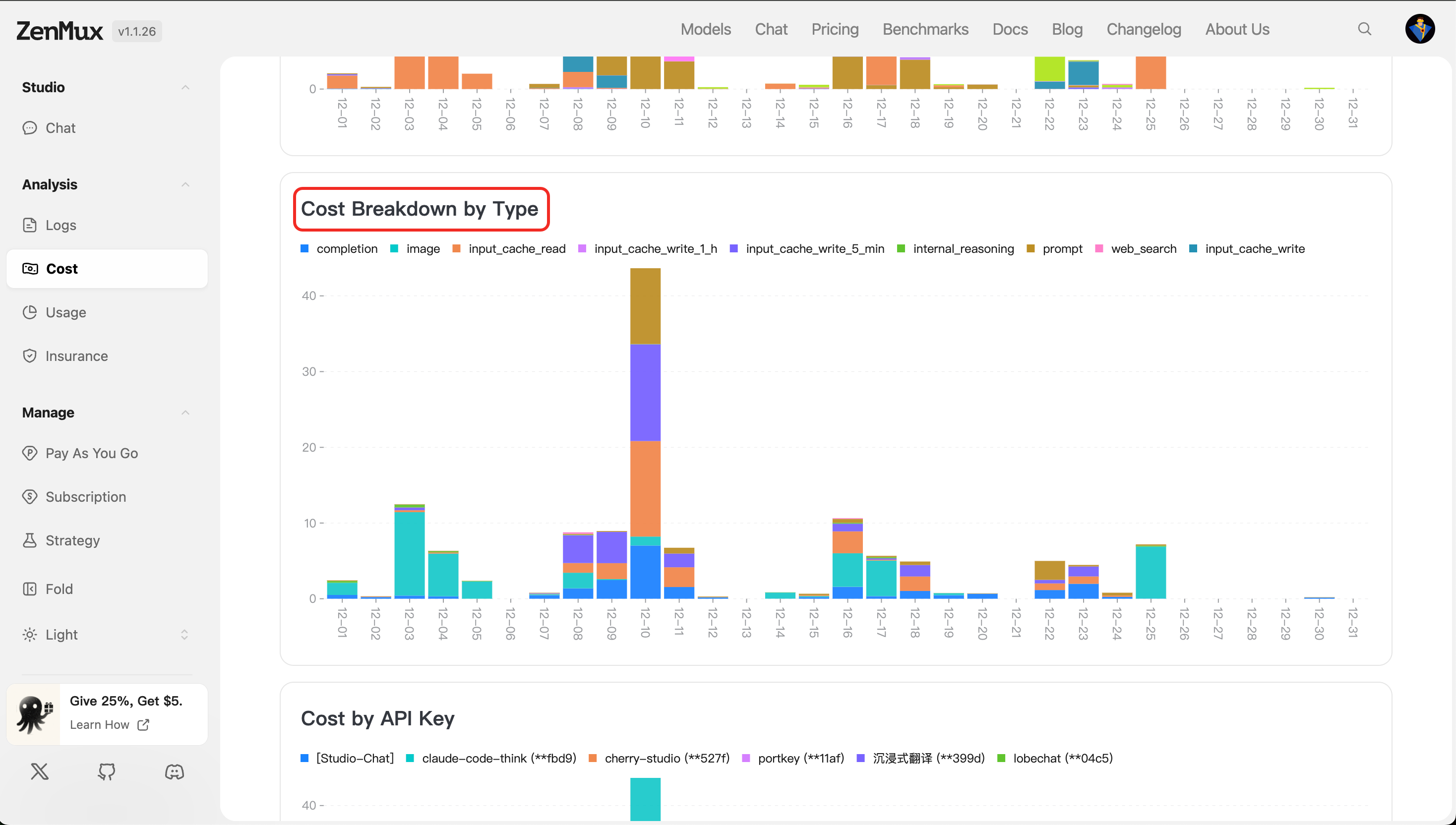
Cost Breakdown by Type
This module shows cost allocation across different types, including Input tokens, Output tokens, and Other tokens.
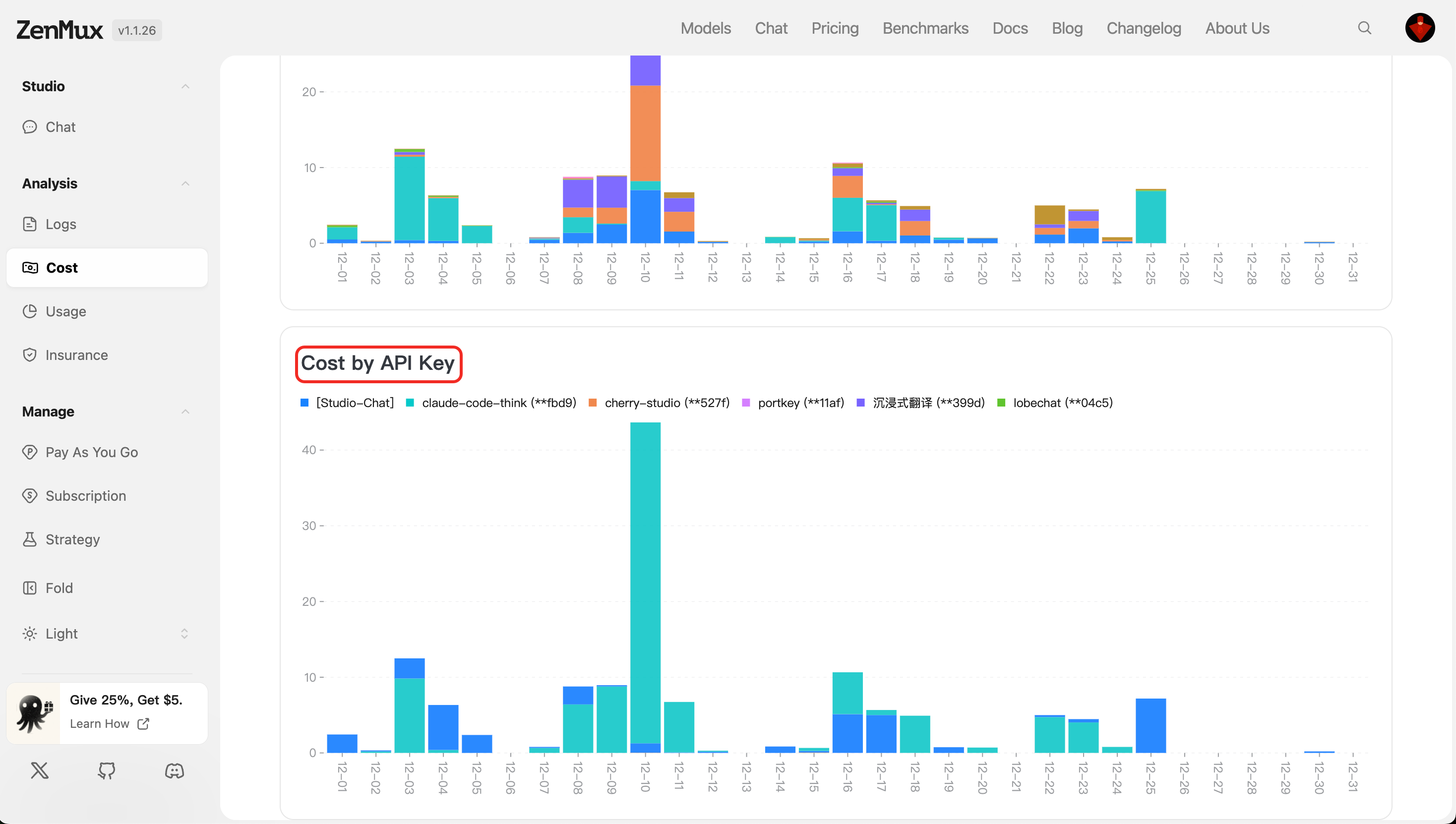
Cost by API Key
This section lists the consumption amount for each API Key, facilitating cost attribution in team scenarios with multiple accounts.
Provider Cost
After switching to the "Provider Cost" tab, you can view detailed cost breakdowns for each cloud service provider.
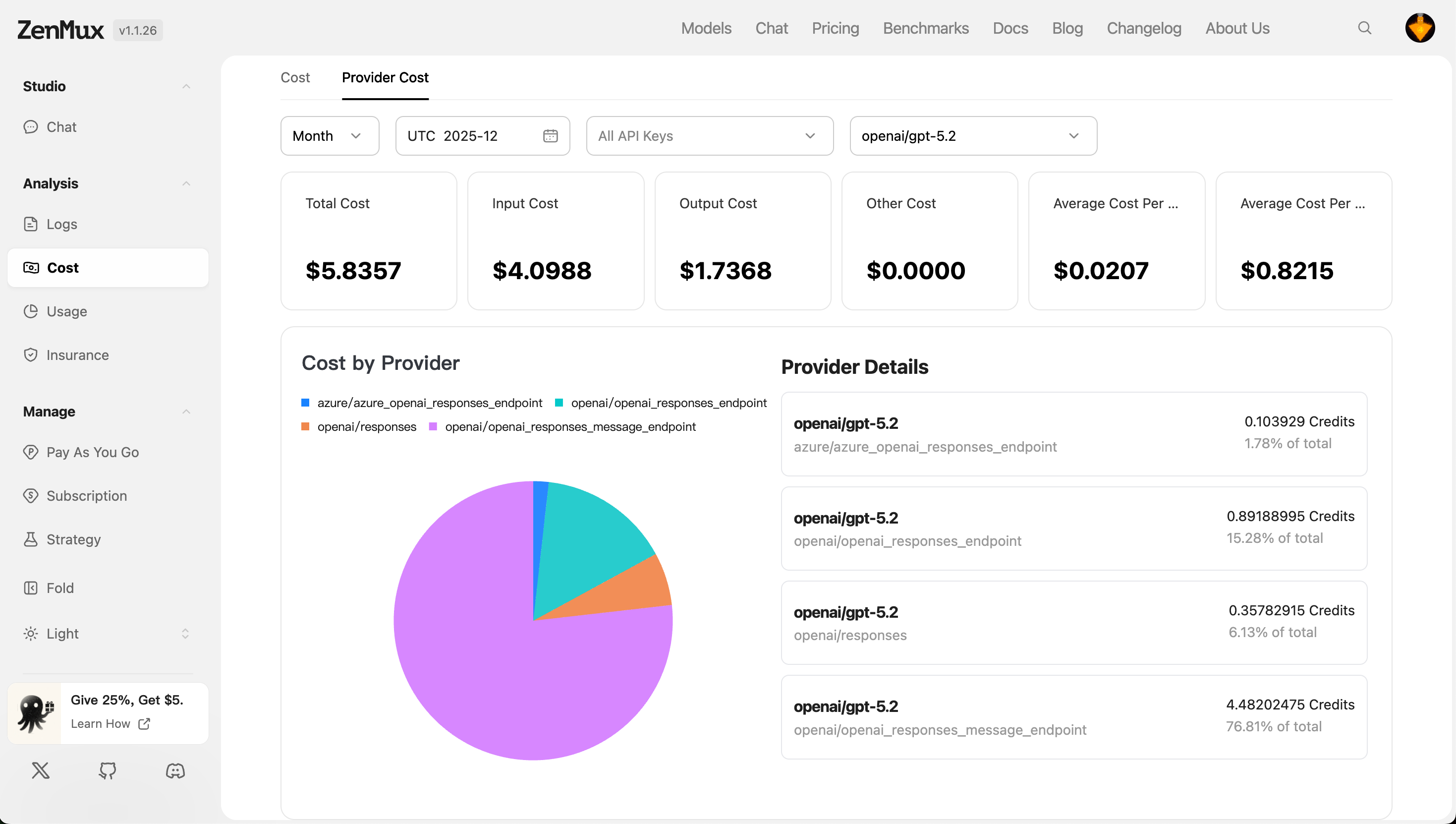
Cost by Provider
- Displays total spending for different providers (e.g., Google, OpenAI).
- Supports sorting and filtering for easy cost-effectiveness comparison.
Provider Details
- Lists call details for all models under that provider, including: model name, number of calls, input/output token counts, cost per call, and total cost.
💡 Example: If you find that a particular provider's model pricing is too high, consider migrating to a more cost-effective alternative.
Contact Us
If you encounter any issues or have suggestions and feedback, please feel free to contact us through the following channels:
- Official Website: https://zenmux.ai
- Technical Support Email: [email protected]
- Business Cooperation Email: [email protected]
- Twitter: @ZenMuxAI
- Discord Community: http://discord.gg/vHZZzj84Bm
For more contact options and detailed information, please visit our Contact Us page.